
From one idea to a published Short — automatically.
ClipNest writes the script, scores the footage, voices it, renders a captioned vertical video, and publishes it to YouTube, TikTok and Instagram — while you do something else.
A real ClipNest render — script, footage, voice and captions, fully automated.
Powered by a best-in-class AI stack
Five stages. Zero busywork.
Every ClipNest video flows through the same automated pipeline our backend runs for real — from a blank idea to a posted video.
- 01 · Idea
Pick a topic
Generate topic and video ideas with an LLM, scoped to your app's theme.
- 02 · Script
Write the script
A six-step AI writer drafts and critiques a tight, spoken-word script.
- 03 · Footage
Find the footage
CLIP scoring matches every line to the most visually relevant clip.
- 04 · Render
Render the video
A serverless engine composes a captioned 1080×1920 video with motion and music.
- 05 · Publish
Publish & repeat
Schedule to every platform — or let automation keep the queue full.
A screenwriting room, not a single prompt.
Most tools fire one prompt at a model and hope. ClipNest runs a six-step writing room that researches, structures, drafts and edits — so every script earns its 55 seconds.
Classify
Reads your idea and picks the right mode — fact, explainer, story or concept.
Investigate
Gathers concrete material — facts, events, mechanisms — each rated for confidence.
Spine
Builds the outline: hook, beats and throughline, timed to about 55 seconds.
Draft
Writes the spoken script along the spine, tuned to the rhythm of speech.
Critique
An editor with deeper reasoning grades the draft against a rubric and rewrites until it passes.
Normalize
Finalizes for voiceover — numbers become words — and writes the title, description and tags.
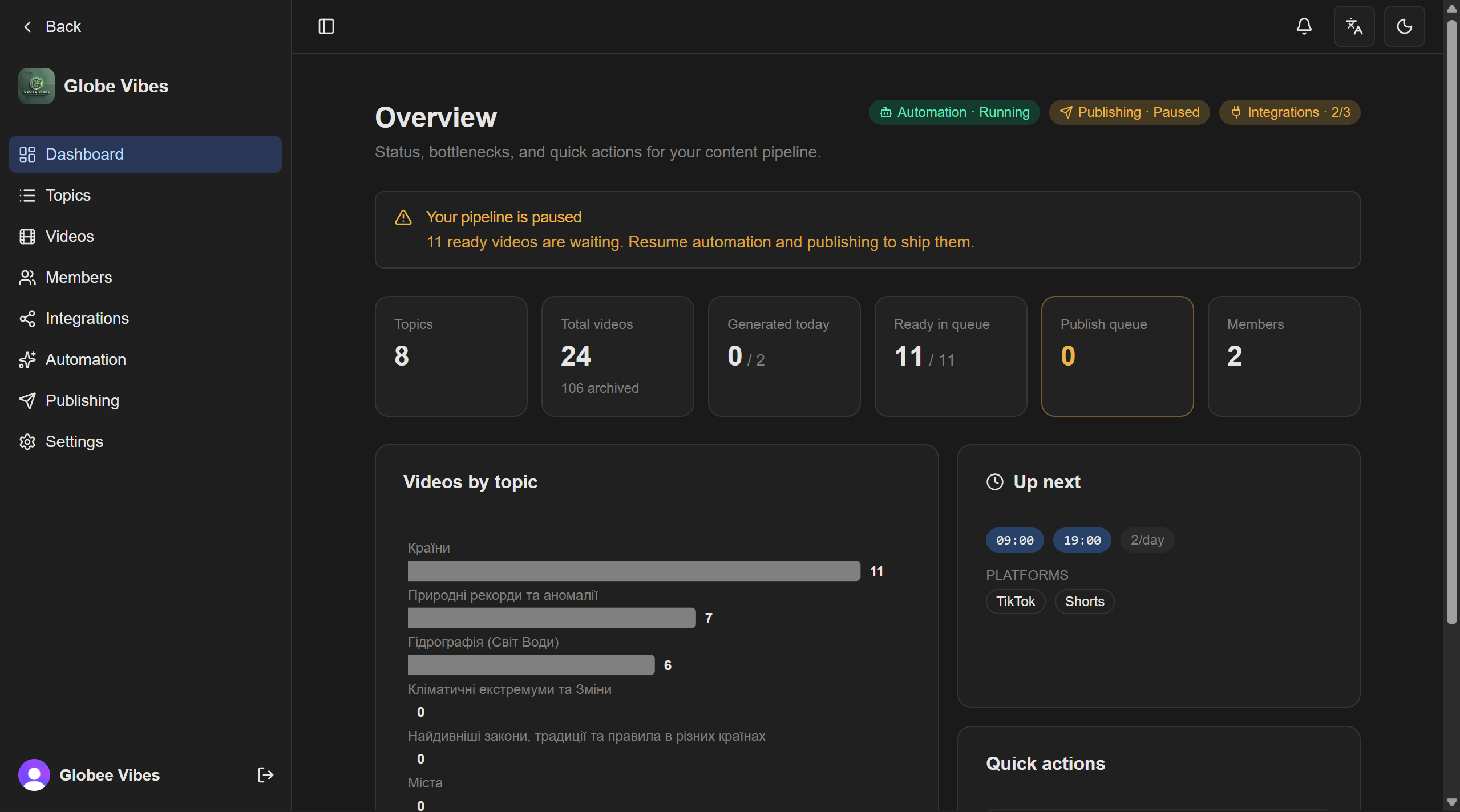
Four ways to frame an idea
Records, lists and numbers — opens on a single startling fact.
How and why — opens on a counter-intuitive result.
People and events — drops you straight into the action.
One sharp, contrarian idea — and its concrete implication.
Footage that actually matches the words.
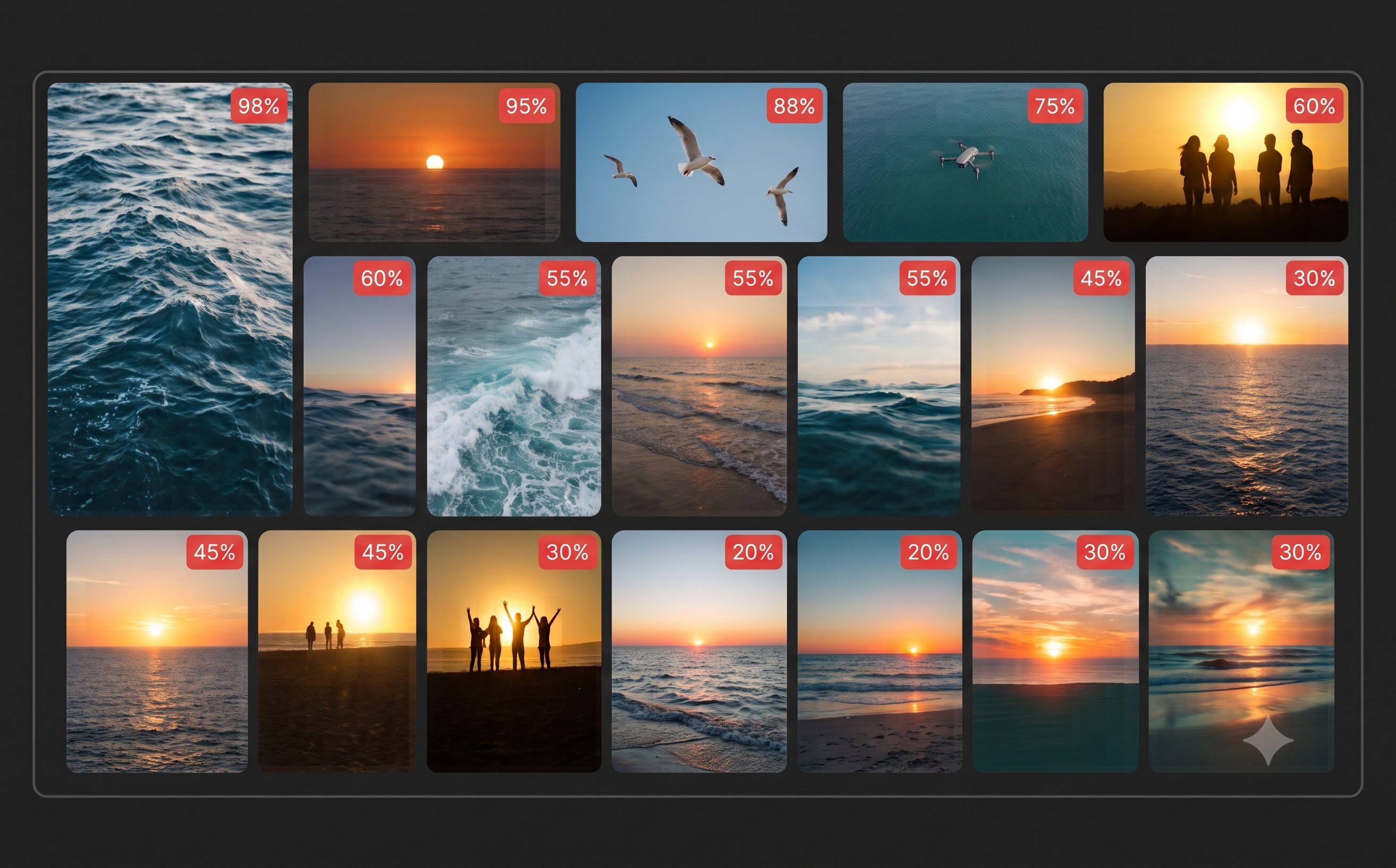
ClipNest doesn't keyword-match. It scores how well each clip visually fits the line it'll play under — then fills any gap without ever leaving a blank frame.
CLIP visual scoring
OpenCLIP compares clip frames to each beat's meaning, calibrated on absolute similarity — not the luck of a search.
A deep, pooled library
Pexels and Pixabay are searched together, de-duplicated and cached for every beat.
A graceful fallback cascade
Weak match? It drops to a stock photo, then to an AI-generated still — never a gap.
Always fresh, any orientation
Anti-repeat rotation never shows a clip twice in a row, across portrait, landscape or square.
Rendered like a studio, not a slideshow.
A serverless engine composes every frame: cinematic motion, smart fitting, transitions, mood and burned-in captions — in one clean pass.

Ken Burns motion
Slow, deliberate zoom keeps stills and clips alive.
Crossfade transitions
xfade between shots, micro-rendered in parallel and stitched losslessly.
Eight mood filters
Set the tone per clip — from vivid to dreamy.
Contain-and-blur fit
Any aspect ratio sits centered on its own blurred backdrop.
Speech-synced captions
Word-timed subtitles burned in, matched to the voiceover.
Voice + music mix
Voice at full, music ducked and faded out over the final seconds.
Publish everywhere. Or never touch it again.
Send finished videos to every platform on a schedule — or hand the whole channel to automation and just watch the views.
Timezone-aware scheduling
Per-day slots in your timezone, with natural jitter so posts never look robotic.
Built-in compliance
TikTok creator info, privacy level and brand-safety are handled before a post goes out.
Per-platform tracking
See exactly which videos went live, where, and why any failed.
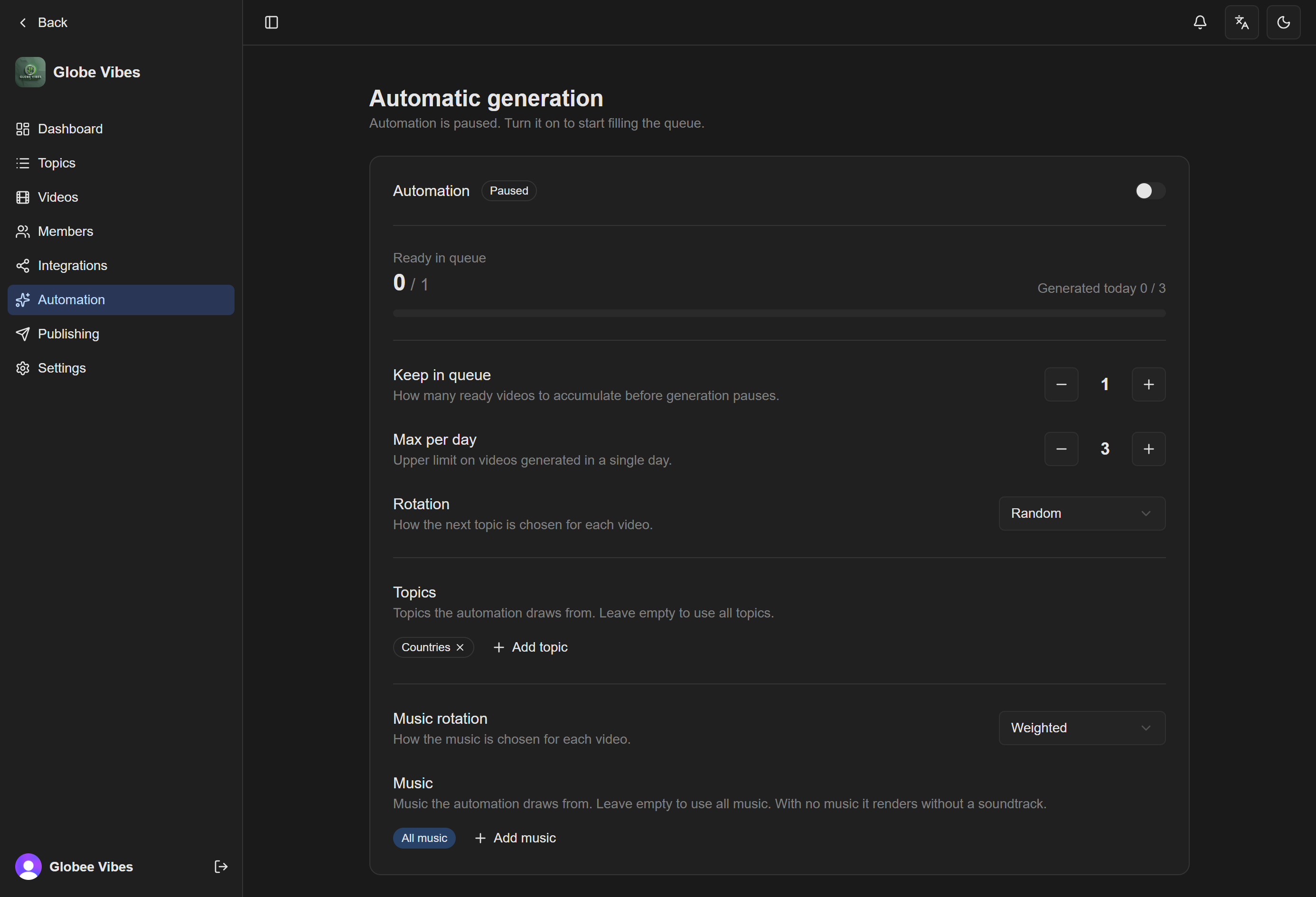
Topic rotation
Round-robin, weighted or random — keep your themes varied automatically.
Queue targets & limits
Always keep N videos queued, with daily caps to control cost.
Never repeats itself
Title deduplication means it won't remake an idea it's already done.
Everything else you'd expect — and then some.
The pipeline is the headline. These make it a product.
Teams & roles
Invite collaborators as owner, admin, editor or viewer across app-scoped workspaces.
Realtime progress
Watch each stage stream live over Server-Sent Events — drafted, matched, rendered, published.
Music library
Per-app tracks with playback windows, mixed and faded under every video.
Any language
Generate content in any language, with speaking rates tuned per language.
Resumable by design
Every step is saved as an artifact, so a failed job retries from where it stopped — wasting no tokens.
Cloud storage
Finished MP4s land in your own cloud storage, ready to download or repurpose.
Questions, answered.
Can't find it? Email our team.
Your next Short is one idea away.
Drop in a topic and watch ClipNest take it from blank page to published video.